CORIOview & CORIOgrapher: Classic Mode Help
Changing the source playing in a window
Each source is automatically associated with a window. You can swap the sources between windows. You cannot show the same source in more than one window.
You can choose how the sources appear when they swap. This is called a transition.

For example, window A shows source 1, and window C shows source 3.

You select window A and source 3. Windows A and C swap sources. Window A now shows source 3, and window C now shows source 1.

-
In CORIOgrapher, select Dashboard.
Letters are windows, numbers are sources.

-
From the front panel, select
 .
.

-
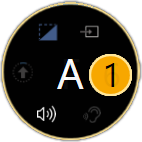
From Dashboard, select the bubble for the window you want to choose a source for.
For example, to change the source playing in window A, select bubble A.
-
Select a source.

On the front panel of your CORIOview:
- Press VIDEO.
- To select a window, press a lit button from A to H.
- To select a source to play in that window, press a lit button from 1 to 8.